AI Story Generator 🎨🎥

Overview

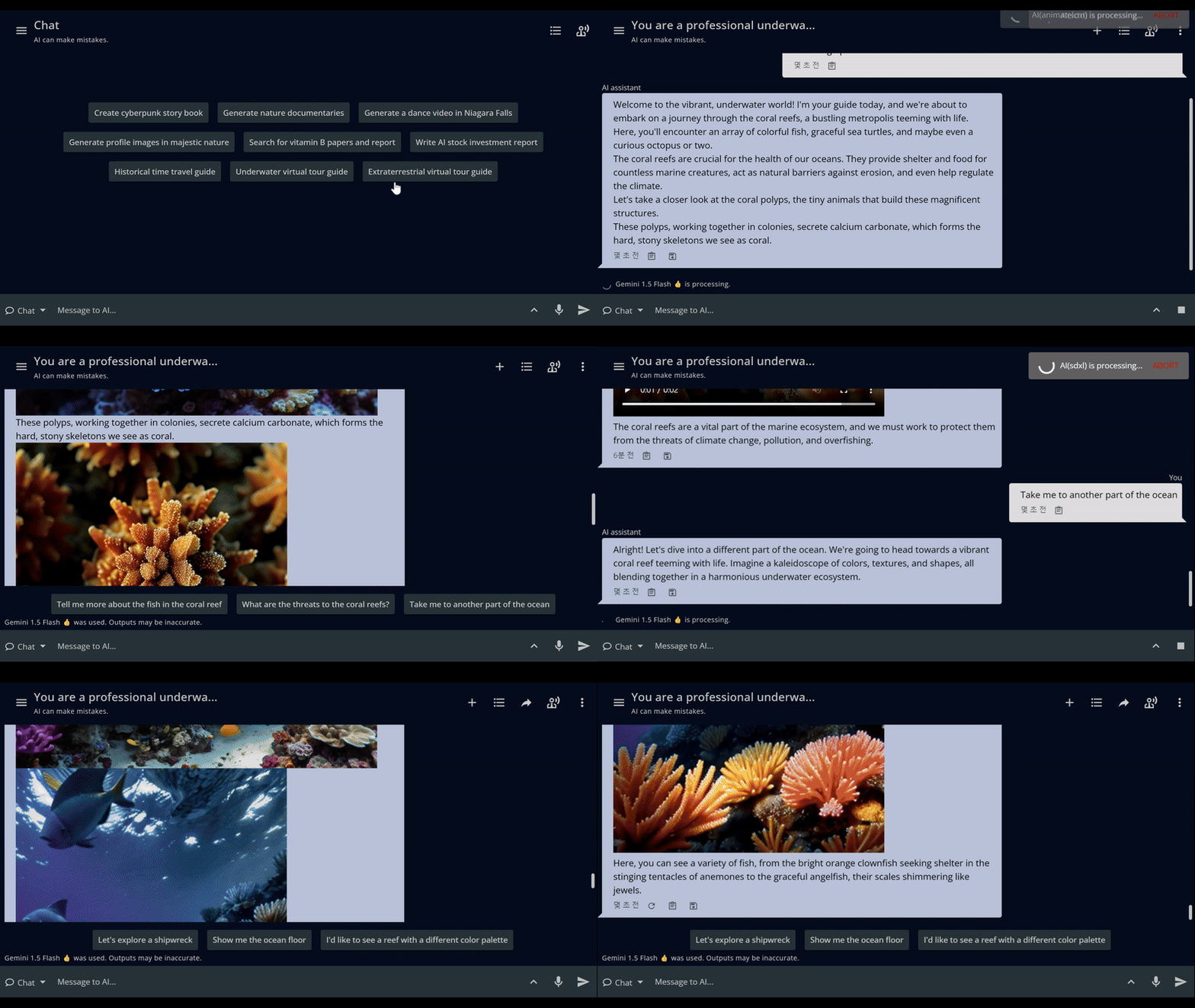
GizAI’s AI Story Generator is a cutting-edge tool that empowers users to create rich, multimedia stories with unprecedented ease and creativity. Leveraging advanced AI models, this platform allows for the seamless generation of engaging narratives enhanced by custom images, videos, and audio, resulting in immersive and captivating storytelling experiences.
Key Features and Capabilities:

  • Interactive and Personalized Storytelling: Progress through stories by selecting choices or providing custom responses. Incorporate user-provided facial images into generated content for a more personal experience.
  • Rapid Multi-Asset Generation: Create multiple images, videos, and audio clips with a single prompt, producing content within 10 seconds of user input for a smooth storytelling flow.
  • AI Character Integration: Combine with AI character features to enable historical or fictional figures to narrate stories through video and audio.
  • Multimedia Integration: Seamlessly blend text, images, videos, and audio to create rich, multi-sensory narratives with customizable themes and genres.
  • Character Consistency: Maintain visual and narrative coherence across multiple scenes or episodes, particularly useful for marketing and educational content.

Use Cases:

  1. Children’s Literature: Create personalized picture books on demand, tailored to a child’s interests.
  2. Virtual Explorations: Embark on immersive historical journeys, deep-sea adventures, or alien world tours.
  3. Marketing and Education: Effortlessly produce character-consistent comics or animated stories for product promotion and develop engaging, multimedia-rich educational materials.
  4. Historical Reenactments: Use AI characters to create multimedia storytelling experiences from the perspective of historical figures.

User Experience and Integration:

  • Intuitive Interface: Navigate through story creation with a user-friendly platform designed for all skill levels, with real-time previews for quick iterations.
  • Cross-platform Compatibility: Access and create stories across various devices, ensuring flexibility and convenience.
  • Seamless Content Management: Store, organize, and collaboratively edit generated stories with GizAI Note and Drive.

Privacy and Ethical Considerations:

  • Content Moderation and Data Protection: Implement safeguards to ensure generated content adheres to ethical guidelines while securing user-provided images and story inputs.

Conclusion:

GizAI’s AI Story Generator revolutionizes storytelling by combining advanced AI technology with user creativity. This tool opens up new possibilities for creating engaging, personalized, and multimedia-rich narratives across various applications, from entertainment and education to marketing. It empowers users to bring their imaginative visions to life with unprecedented ease and quality, making sophisticated storytelling accessible to all.
AI Characters 🧝

Overview

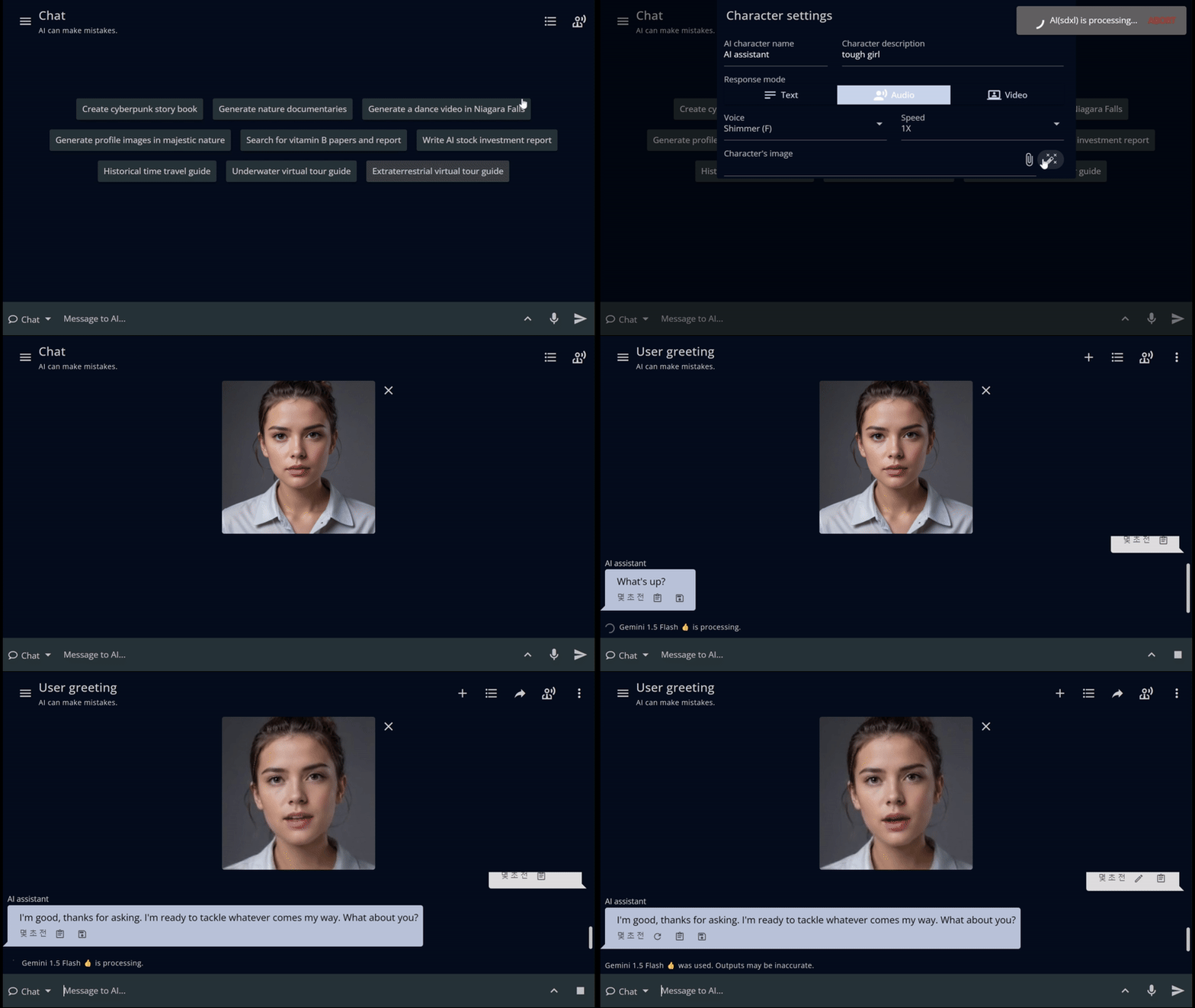
Instantly create lifelike virtual characters with our AI Characters tool. Using just a photograph and a brief description, generate virtual beings complete with synchronized speech and lip movements. Customize their appearance, voice, and personality to suit your needs, ensuring unique and personalized interactions. Choose from a variety of leading language models to guide conversational styles, making this tool perfect for applications ranging from education to customer service. Experience engaging and dynamic interactions with your custom AI characters.

Key Features

Rapid Character Creation:

  • Instant Generation: Create lifelike virtual characters quickly using just a photograph and brief description.
  • Comprehensive Output: Generate complete virtual beings with synchronized speech and lip movements.

Customization Options:

  • Appearance Customization: Tailor the character’s look to fit specific requirements or preferences.
  • Voice Personalization: Adjust voice characteristics to create unique and fitting audio for each character.
  • Personality Adaptation: Customize character personalities to suit various scenarios and applications.

Advanced Language Processing:

  • Multiple Language Models: Choose from a variety of leading language models to guide conversational styles.
  • Flexible Interaction Styles: Adapt character responses and communication patterns for different use cases.

Versatile Applications:

  • Education: Create engaging virtual tutors or historical figures for interactive learning experiences.
  • Customer Service: Develop personalized virtual assistants for enhanced customer interactions.
  • Entertainment: Generate unique characters for storytelling, gaming, or interactive media.

Realism and Engagement:

  • Synchronized Audio-Visual Output: Ensure realistic speech with matched lip movements for improved immersion.
  • Dynamic Interactions: Experience engaging and responsive conversations with AI-powered characters.

Conclusion

The AI Characters tool revolutionizes virtual character creation, offering a powerful yet user-friendly platform for generating lifelike digital beings. This technology opens up new possibilities for personalized and engaging virtual interactions across various domains, from education and customer service to entertainment and beyond.

AI Video Generator 🎥

Overview

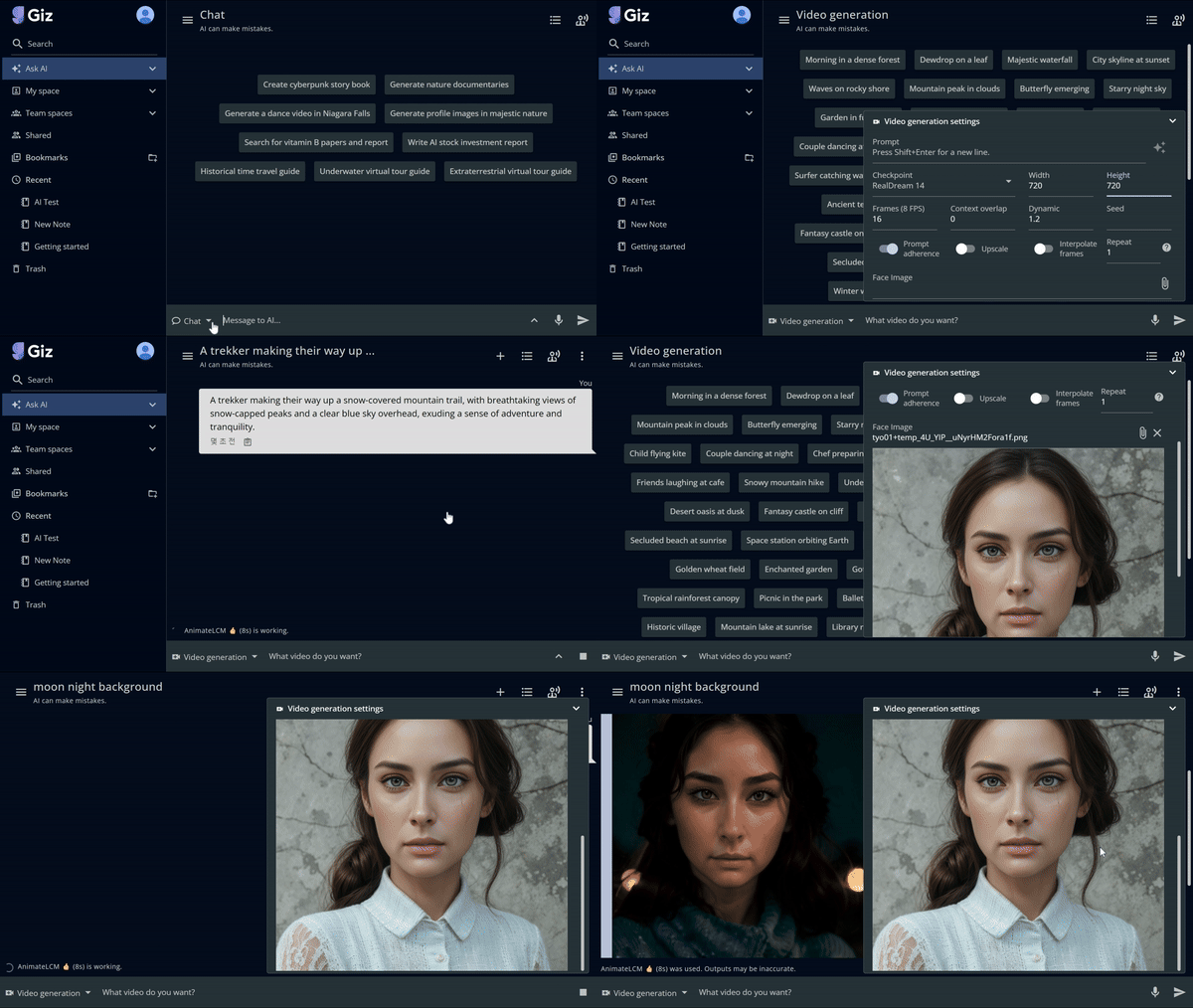
In just 5 seconds, create stunning videos effortlessly with our AI Video Generator. Generate short second clips with no waiting. Use prompts for longer, detailed videos, and enhance quality with upscaling and frame improvements. Incorporate facial features from photos and animate specific parts of an image. Create new videos based on poses from existing ones, like making a dance cover video with a specific face. Perfect for personalized content, our tool makes video creation simple.

Key Features

Rapid Video Creation:

  • 5-Second Processing: Generate stunning videos in just 5 seconds, enabling quick content production.
  • Instant Short Clips: Create short second clips with no waiting time, perfect for social media content.

Customization and Enhancement:

  • Prompt-Based Generation: Use text prompts to create longer, more detailed videos tailored to specific needs.
  • Quality Improvement: Enhance video quality through upscaling and frame improvements.
  • Versatile Output: Suitable for a wide range of video production needs, from quick social media clips to complex animations.

Advanced Video Manipulation:

  • Facial Feature Integration: Incorporate facial features from photos into generated videos.
  • Selective Animation: Animate specific parts of an image for partial motion effects.
  • Pose-Based Video Creation: Generate new videos based on poses from existing ones, like creating dance cover videos with a specific face.

Time and Effort Savings:

  • Simplified Process: Makes sophisticated content creation accessible to all users, regardless of technical expertise.
  • Rapid Iteration: Quickly generate and modify videos, significantly reducing production time.

Creative Possibilities:

  • Novel Content Creation: Open up new avenues for creative expression through AI-assisted video generation.
  • Personalization: Easily create custom video content for various applications, enhancing personal and brand communication.

How to use

Accessing the Video Generator

  1. Open the left bottom mode switch button in Ask AI.
  2. Select “Video generation”:
    1. Uses the AnimateLCM model.
    2. Generates an 8-second video as the default option.
    3. Offers slightly better video consistency compared to Fast Video generation.
  3. Select “Fast Video generation”:
    1. Uses the AnimateDiff-Lightning model by ByteDance.
    2. Generates a 5-second video as the default option.
    3. Allows you to create a video that incorporates facial features by using a face image, or to partially animate an original image.
    4. Offers a loop option.
  4. Select “Pose Video generation”:
    1. Extracts poses from a reference video file.
    2. Applies the poses to a face image to create dance or pose videos.

Video Generation Settings

  1. Prompt: Enter your video description. Use Shift+Enter for new lines.
  2. Checkpoint: Select “RealDream 14” or other available models.
  3. Dimensions: Set Width (480) and Height (720) as needed.
  4. Frames: Set to 16 FPS (Frames Per Second) or adjust as required.
  5. Context overlap: Currently set to 0. Adjust if needed.
  6. Dynamic: Set to 1.2. Modify to control video dynamism.
  7. Seed: Enter a value for reproducibility (optional).
  8. Additional Settings:
    • Prompt adherence: Toggle on/off
    • Upscale: Toggle to enhance video quality
    • Interpolate frames: Toggle for smoother transitions
    • Repeat: Set to 1 or increase for loop effect
  9. Face Image: Upload an image to incorporate specific facial features

Conclusion

GizAI’s AI Video Generator revolutionizes video production by offering a powerful, user-friendly tool that combines speed, quality, and creative flexibility. This feature exemplifies GizAI’s commitment to making advanced content creation accessible and efficient for all users.

AI News Search 📰

Overview

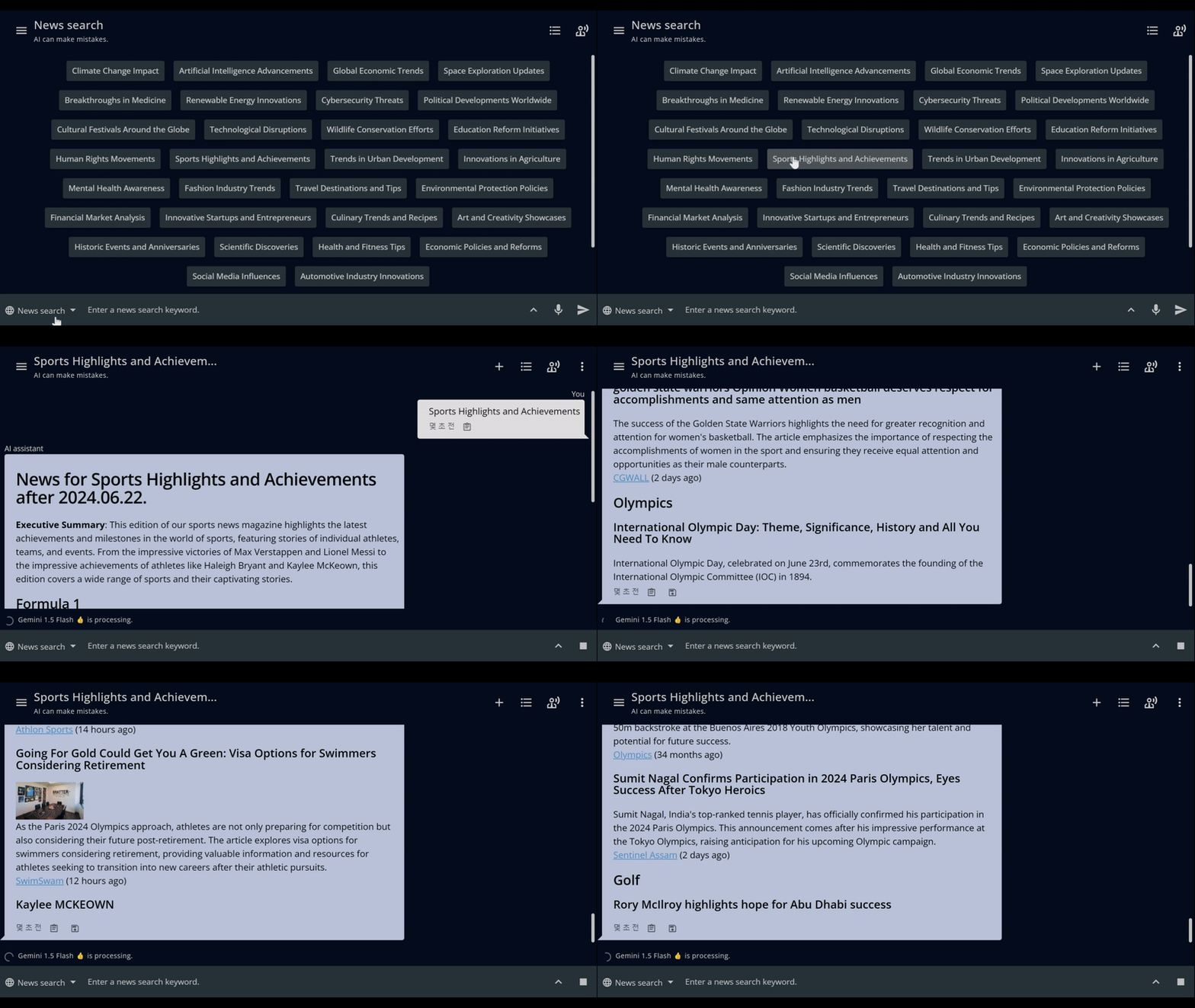
GizAI’s AI News Search revolutionizes information consumption by creating personalized digital magazines on any topic instantly. This innovative tool leverages advanced AI technology to curate and deliver tailored content from multiple sources, keeping users informed on their interests with unprecedented efficiency.

Key Features:

  • Customized Content Curation: Generate magazines instantly based on user-specified keywords, integrating content from Google News, Reddit, and YouTube.
  • Flexible Configuration: Choose preferred sources, set search periods, select language preferences, and pick AI models for curation and summarization.
  • Smart Filtering and Summarization: Ensure relevance and quality of content, providing concise overviews of lengthy articles or videos.
  • Multimedia Integration: Seamlessly incorporate text, images, and video content into a magazine format.
  • Personalized Recommendations: Suggest related topics based on user interests and reading habits.

Use Cases:

  1. Personal Interests and Current Events: Stay updated on hobbies, entertainment, niche topics, and current affairs.
  2. Professional and Academic Research: Gather latest industry trends, news, and focused content collections.
  3. Market Analysis: Track specific companies, products, or market sectors for investment insights.

User Experience and Integration:

  • Intuitive Interface: Easy-to-use dashboard for setting preferences and generating magazines, with customizable layouts and cross-platform access.
  • GizAI Ecosystem Integration: Share curated magazines with team members, save to GizAI Drive, and use AI Chat for deeper insights on magazine content.

Privacy and Data Considerations:

  • User Data Protection: Securely store and manage user preferences and reading habits.
  • Source Attribution and Content Moderation: Properly credit original sources and implement filters to avoid inappropriate or misleading content.

Conclusion:

GizAI’s AI News Search transforms information consumption by offering highly personalized, up-to-date content curation. It empowers users across various fields to stay efficiently informed on topics that matter most to them, combining vast internet resources with advanced AI curation to deliver a tailored reading experience in our fast-paced information age.

AI Headshot Generator 👦

Overview

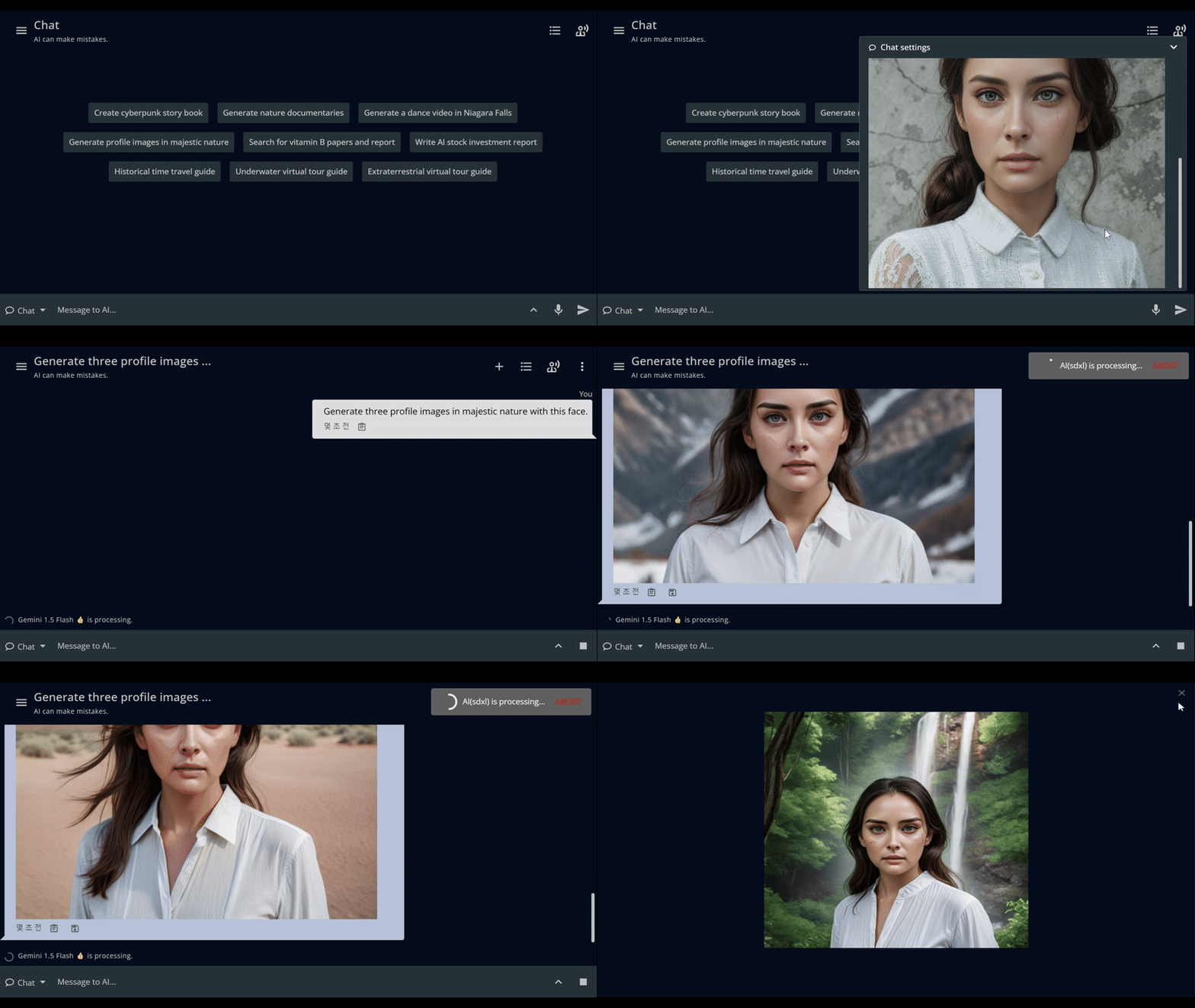
In just 9 seconds, our AI Headshot Generator transforms a single face photo into multiple creative images with incredible speed. With just one prompt, like “Generate three profile images in majestic nature with this face,” you can produce several unique images effortlessly. Beyond photos, you can also create engaging videos. Perfect for personalized avatars, profile pictures, and dynamic visual content, our tool makes it easy to generate a variety of headshots and more.

Key Features

Rapid Image Generation:

  • 9-Second Processing: Transform a single face photo into multiple creative images in just 9 seconds.
  • Bulk Creation: Generate several unique images from one prompt, enhancing efficiency.

Versatile Output:

  • Photo Transformation: Create diverse profile images in various settings, such as “majestic nature.”
  • Video Generation: Produce engaging video content featuring the input face.

Customization and Flexibility:

  • Single Prompt Control: Achieve complex transformations with simple, descriptive prompts.
  • Multiple Use Cases: Ideal for personalized avatars, profile pictures, and dynamic visual content.

Conclusion

GizAI’s AI Headshot Generator revolutionizes the creation of personalized visual content. By combining lightning-fast processing with versatile output options, it offers users an unparalleled tool for generating unique photos and videos. This feature stands out for its ability to quickly produce multiple creative variations from a single input, making it an invaluable asset for personal branding, social media, and professional presentations. The AI Headshot Generator exemplifies GizAI’s commitment to providing powerful, user-friendly tools that enhance creative capabilities and save time.

AI Chat 🤖

Overview

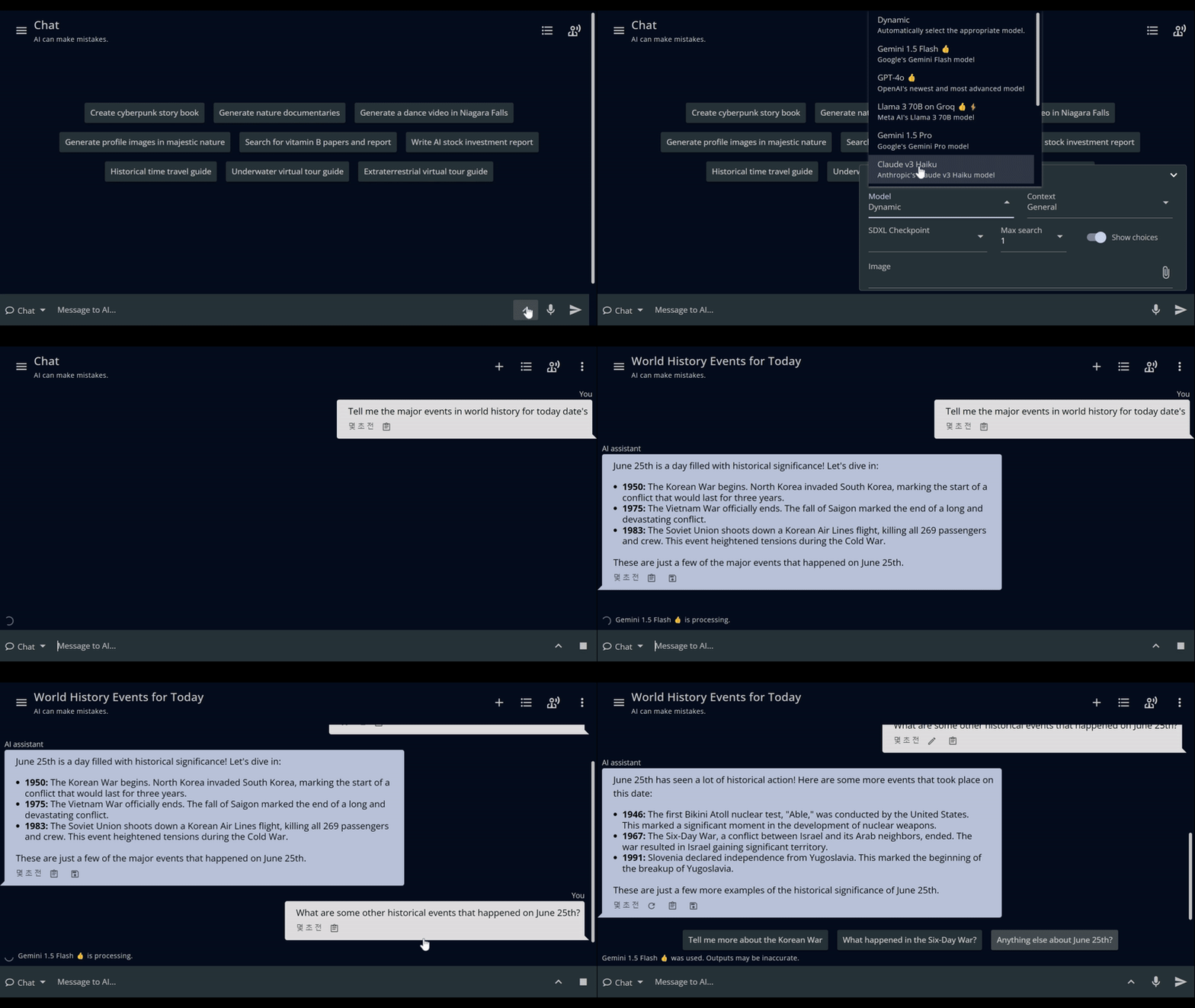
GizAI’s AI Chat is a powerful, versatile interface that combines advanced language models, contextual support, and integrated tools to provide a comprehensive AI assistant experience. Users can leverage cutting-edge LLMs, access diverse information sources, and utilize creative tools for image, video, and audio generation—all within a single, intuitive platform.

Key Features

Model Selection and Dynamic Mode:

  • Multiple LLMs: Choose from leading models including GPT-4, Gemini, Claude 3.5, Llama 3, and Mistral large.
  • Dynamic Mode: Automatically selects the optimal LLM and context for each query, ensuring the best performance.

Contextual RAG Support:

  • Diverse Information Sources: Integrate data from web, news, video, scholarly searches, and GizAI Space.
  • Visual Input: Enable Q&A based on screen content or camera-captured images.
  • Image Analysis: Utilize vision models for AI assistance with uploaded or generated images, including those from notes.

Advanced Tool Integration:

  • Image Generation and Editing: Create and modify images using text prompts.
  • Diverse Image Models: Access various Stable Diffusion checkpoints, including SD 3.0, RealDream XL, and DreamShaper XL.
  • Multimedia Creation: Produce themed videos with corresponding audio.

Creative Capabilities:

  • Image Manipulation: Alter backgrounds, create themed profile pictures, and more.
  • Comic Creation: Generate storylines with corresponding images and sounds.
  • Video and Audio Pairing: Create themed multimedia content for various scenarios.

Content Summarization:

  • Multi-format Support: Summarize YouTube videos, PDFs, web pages, and news articles.
  • URL Processing: Enter URLs directly in chat for organized summaries.
  • Mobile Integration: Share URLs from other apps to GizAI for quick summaries via the mobile app.

User Experience:

  • Intuitive Interface: Seamlessly switch between models, tools, and information sources.
  • Customization: Tailor AI responses to specific needs and preferences.
  • Cross-platform Accessibility: Access AI Chat features across web and mobile platforms.

Integration with GizAI Ecosystem:

  • Synergy with GizAI Drive: Seamlessly incorporate Drive content into AI-powered workflows.
  • Collaborative Features: Share AI-generated content and insights within team spaces or anyone with link.

Privacy and Security:

  • Data Protection: Ensure user queries and generated content remain secure and private.
  • Data Privacy: User inputs and AI outputs are not used for AI model training.

Conclusion

GizAI’s AI Chat revolutionizes the way users interact with AI, offering a comprehensive suite of language models, contextual support, and creative tools. From answering complex queries to generating multimedia content, AI Chat empowers users to enhance productivity, unleash creativity, and access knowledge with unprecedented ease and versatility.

Notes 📋

Overview

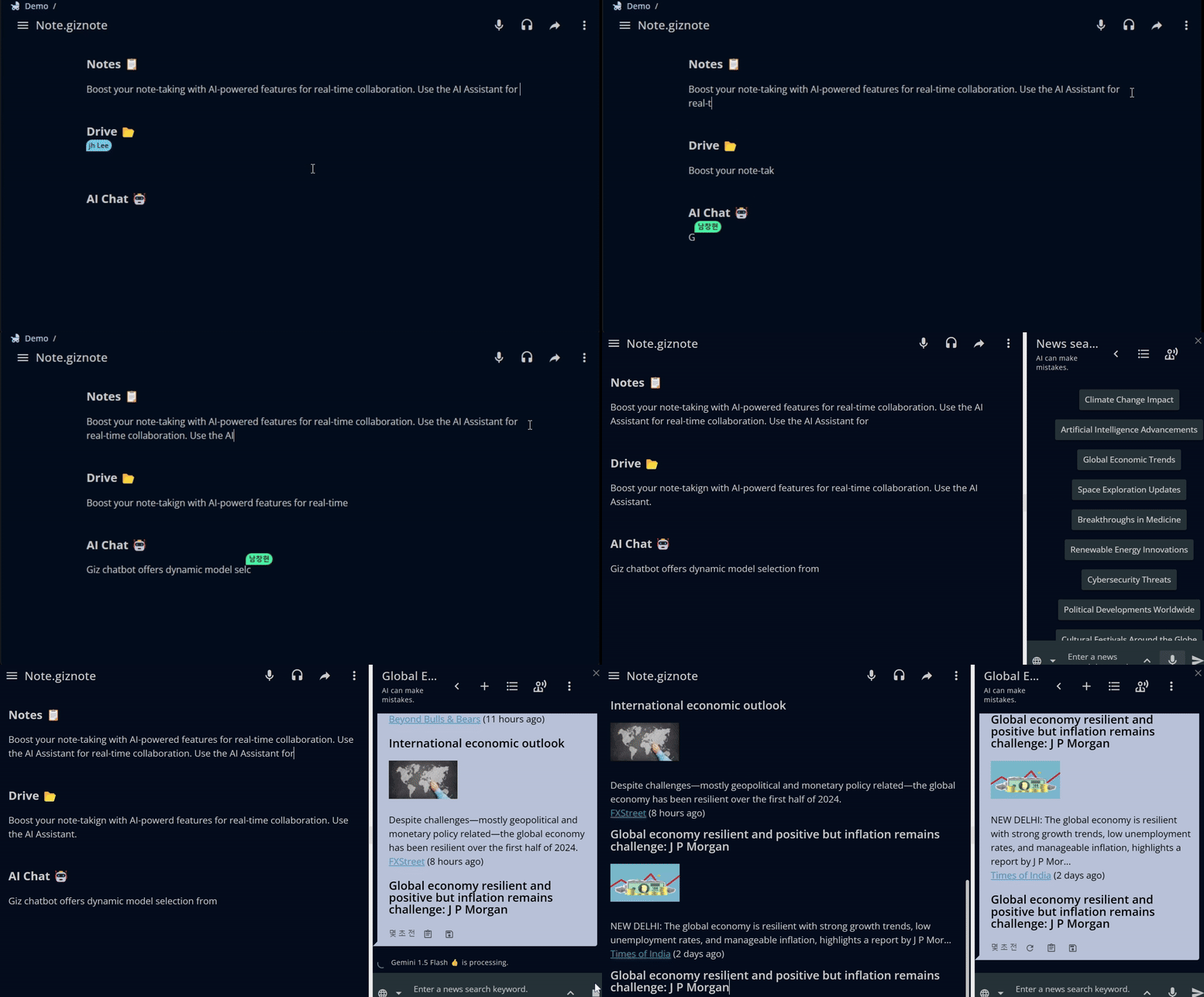
Boost your note-taking with AI-powered features for real-time collaboration. Use the AI Assistant for questions, summaries, and edits, and insert outputs directly into your notes. Enjoy seamless access on mobile and desktop without app installation. Collaborate securely with shared editing and granular permissions. Embed rich media, edit tables, and access unlimited version history. Utilize Text-to-Speech, voice input, and translation for cross-language collaboration. Generate tables of contents and export notes easily.

Key Features

AI Integration:

  • Side-by-Side Use: Collaborate with AI Assistant alongside notes.
  • Interactive Requests: Select text and images in notes to request AI actions (questions, summaries, edits).
  • Easy Insertion: Copy AI outputs directly into notes or create new notes from AI outputs.
  • Contextual Responses: Ask AI about note content using screen context, or search notes for relevant answers.
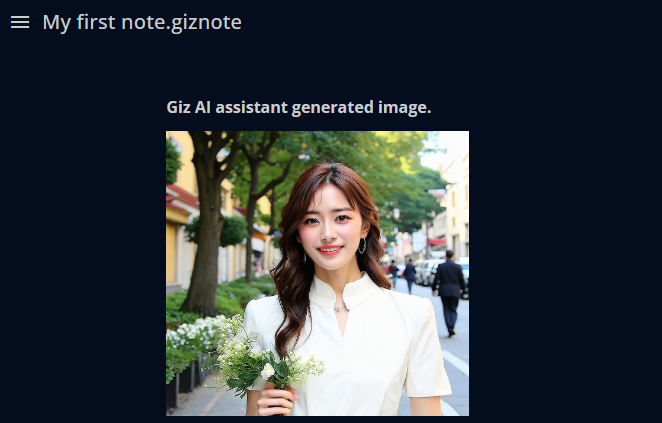
Note with AI assistant

Real-Time Collaboration:

  • Seamless Integration: Built on Content Cloud, enabling smooth integration within a single interface.
  • Shared Editing: Collaborate in real time with internal and external parties, with granular permission controls for security and privacy.

Accessibility and Rich Content:

  • Mobile and Desktop Parity: No app installation required, with full feature parity between mobile web and desktop.
  • Rich Media Embedding: Embed files and images directly into notes. Edit tables easily for complex data manipulation.
  • Version History: Unlimited version history with easy undo/redo options.

Language and Accessibility Features:

  • Text-to-Speech (TTS): Integrated TTS for note reading, with adjustable speed and speaker settings.
  • Voice Input and Translation: Real-time voice input and translation features for cross-language collaboration.

Additional Features:

  • Table of Contents: Generate and navigate comprehensive tables of content.
  • Export and Print: Export notes as HTML or Markdown, and print directly from the platform.

Conclusion

GizAI’s Notes revolutionizes collaborative note-taking with AI-powered assistance, real-time editing, and cross-platform accessibility. From AI-driven content creation to multilingual support, it offers a comprehensive solution for teams to capture, share, and enhance ideas effortlessly. With rich media integration and robust version control, GizAI’s Notes adapts to diverse workflows, making it an indispensable tool for modern, dynamic workspaces.

Appendix: How to use

Create New Note

  1. Click the New menu in the upper right corner and select New Note to create a new note.
  2. Now, try writing your note.

Convenience features

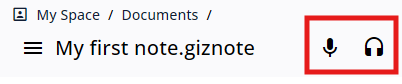
  • Voice typing : This is your personal scribe, ready to jot down whatever words of wisdom you impart.
  • Read aloud :With the “Read Aloud” feature, just lend your ears and it will read your documents to you, even while driving.
  • Combine this with the “Voice Input” feature, and you can hold a meeting, listen, and create minutes all at once, like a true multitasking wizard!
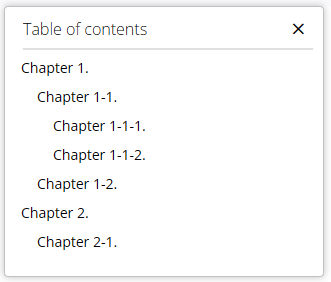
  • Table of contents : Simply set headings, and the table of contents will be automatically generated. Easily and quickly navigate to your desired paragraph.
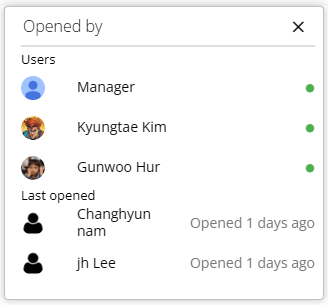
  • Opened by : See who has viewed the note and check if they are collaborating with you.

Block Menu

  • Click the block menu icon at the beginning of the paragraph to see several functions available for the selected paragraph.
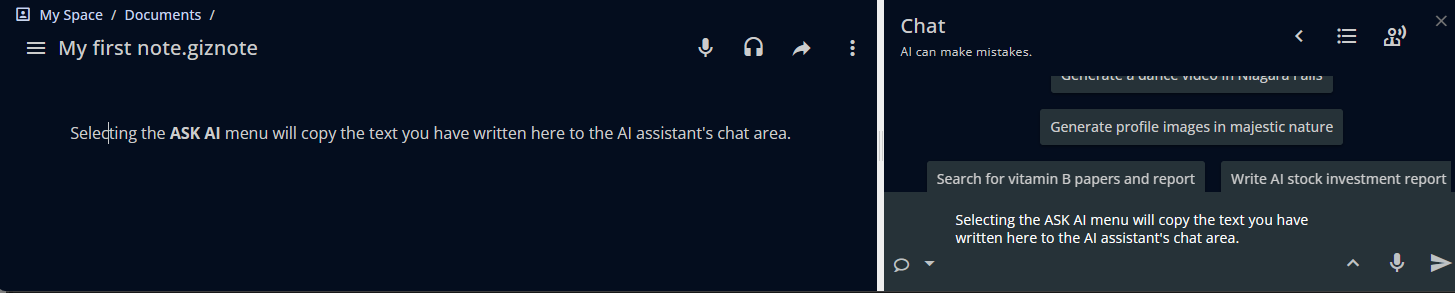
  1. Ask AI: Select the ASK AI menu to display the AI Assistant on the right. The text of the selected paragraph will be copied to the AI Assistant’s chat area.
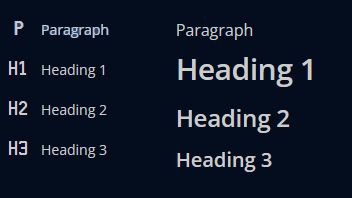
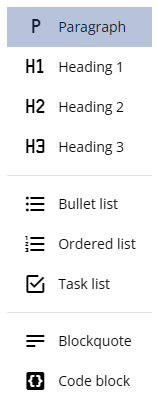
  1. Paragraph style : Specifies the style of the paragraph.
  1. List Options : You can use bullet, ordered, and task list options.
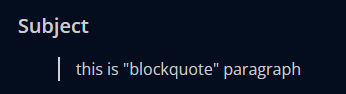
  1. Blockquote : A blockquote is used to emphasize a section of text as a quotation.
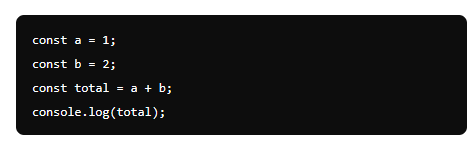
  1. Code block : You can use a code block to highlight code sections or differentiate them from other paragraphs.
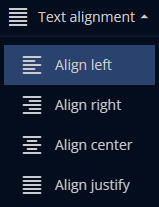
  1. Text alignment : Align the paragraph.
  1. Insert file : You can add links to other content stored in GizAI Space to the note.
  1. Insert image: You can insert images stored on your device into the note.
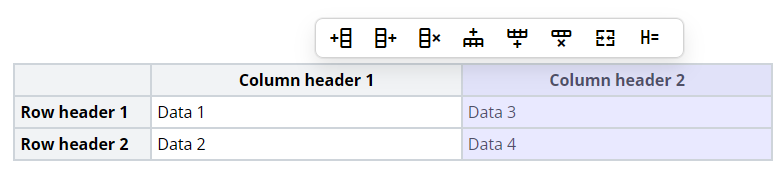
  1. Insert table : You can add tables to the note.
  • Add column left: Add a column to the left of the selected column
  • Add column right: Add a column to the right of the selected column
  • Delete column: Delete the selected column
  • Add row top: Add a row above the selected row
  • Add row bottom: Add a row below the selected row
  • Delete row: Delete the selected row
  • Merge cell: Merge the selected cells
  • Current cell as a header cell: Change the selected cell to header style

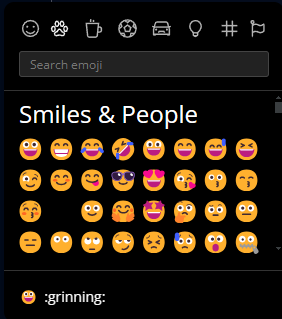
10 . Insert emoji : You can insert various emojis into the note to make it more fun and engaging.

  1. Insert horizontal rule : Create a page break for printing.

Toolbar

When you select text, a toolbar appears.

  • Ask AI : Display the AI Assistant on the right. The text of the selected paragraph will be copied to the AI Assistant’s chat area.
  • Text group : Change the style of the paragraph, convert it to a list, or change it to a blockquote or code block.
  • Bold: Make the selected text bold.
  • Italic: Italicize the selected text.
  • Underline: Underline the selected text.
  • Strike: Strikethrough the selected text.
  • Color picker: Change the color of the selected text.
  • Highlight: Highlight the selected text.
  • Text alignment: Align the text to the left, center, right, or justify.
  • Link URL: Add or edit a hyperlink for the selected text.
  • Clear formatting: Remove all formatting from the selected text.
  • Translate: Translate the selected text to another language.
  • Delete: Delete the selected element.

Drive 📂

Overview

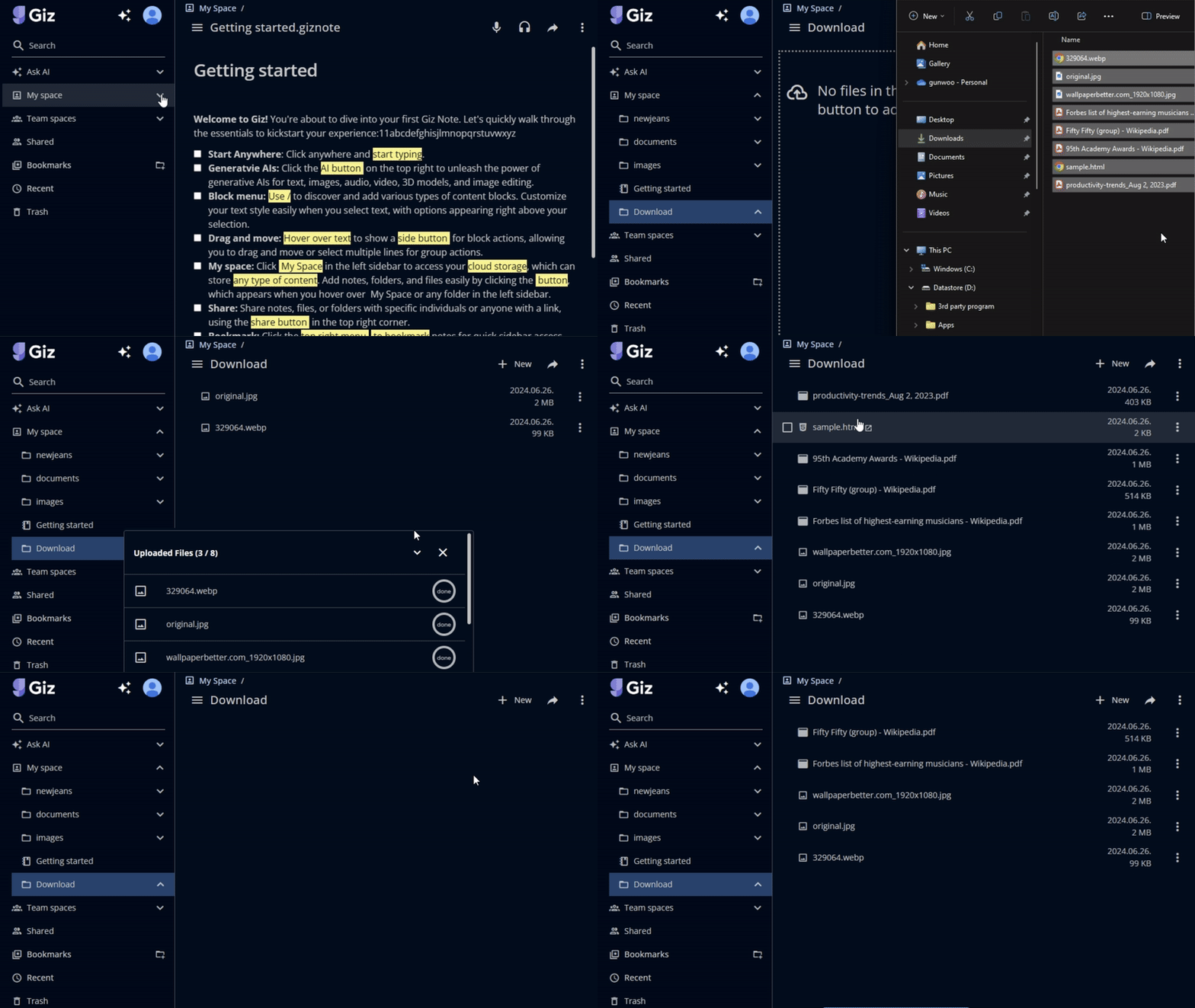
Drive is a central feature of GizAI, offering a unified workspace that combines collaborative notes, generative AI tools, and comprehensive cloud storage. Users benefit from private spaces for personal content and shared team spaces, enhancing collaboration through file activities, comments, version control, and folder management. The platform supports various content types, including notes, Office documents, videos, and images, with web-based previews and editing capabilities. Advanced features such as full-text and faceted search, secure sharing with granular permissions, and a user-friendly interface with drag & drop functionality make it easy to manage, find, and collaborate on content across mobile and web platforms.

Key Features

Personal and Team Spaces:

Spaces and manage members
  • My Space: Each user receives a private space to create, store, and manage content.
  • Team Spaces: Dedicated spaces for team collaboration, resource sharing, and project management.

Advanced Collaboration:

  • File Activities and Comments: Support for file activities and comments to enhance communication among team members.
  • Version Control: Maintain control over file versions with advanced versioning features.
  • Folder Management: Organize content with robust folder management capabilities.

Content Management:

Content management
  • Recent, Shared, and Trash: Easily manage and recover content with recent files, shared files, and trash features.
  • Full Control: Rename, move, copy, delete, and inspect file and folder properties.

Content Types and Previews:

Web-Bases Preview
  • Variety of Content: Support for notes, database tables, no-code apps, Office documents, videos, images, markdown files, and more.
  • Web-Based Previews: Online previews for PowerPoint and Word documents, and online editing for Excel spreadsheets and markdown files.
  • Multimedia Experience: Video streaming playback and image slideshows.

Search and Permissions:

  • Full-Text Search: Users can perform full-text searches within notes, Office documents, and other content types. This feature ensures that users can locate specific information quickly, even within large and complex documents.
  • Faceted Search: GizAI’s faceted search capabilities allow users to refine their searches based on various criteria, such as file type, date modified, and more. This feature enhances search accuracy and efficiency, making it easier to find the right content.

Easy Sharing and Creation:

Granular permissions and content sharing

  • Granular Permissions: Manage access at the folder and file level with detailed permission controls. Share content internally and externally with precise control.
  • Content Sharing: Share content via links or email, maintaining control over shared resources.
  • Quick Content Creation: Create collaborative notes, markdown files, Excel sheets, and no-code apps with a simple click.

User Interface and Customization:

Mobile optimized
  • Drag & Drop: Simplify content organization with drag & drop functionality.
  • Navigation Menu: Tree-like structure for easy exploration of spaces and bookmarks.
  • Bookmarks: Create and organize bookmark folders.
  • Optimized Views: Mobile and web-optimized views in List, Tiles, and Table formats.

Unlimited storage with 1 GBps transfer speeds

  • Unlimited Storage: GizAI provides unlimited storage for every paid plan.
  • High-Speed Transfer: Up to 1Gbps upload and download speeds with servers in Tokyo and New York. Expansion planned.

Conclusion

GizAI’s Drive is the ultimate workspace solution, offering unlimited storage, powerful collaboration tools, and AI integration. Streamline your work, enhance team productivity, and manage content effortlessly—all in one secure, user-friendly platform.

AI Games 🎮

Overview

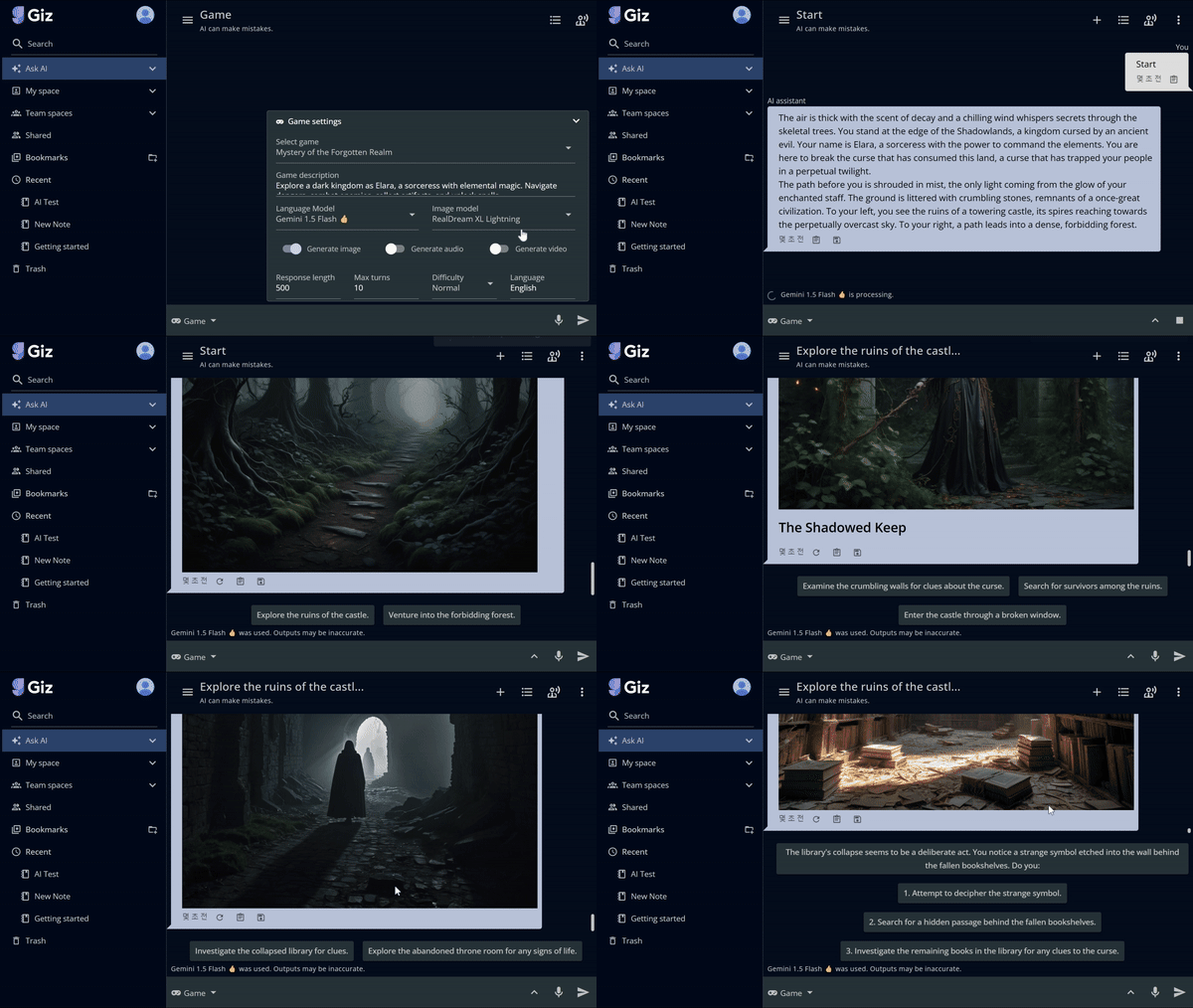
Dive into immersive storytelling with our AI Game Creator. Craft real-time interactive fiction games with user-defined scenarios or choose from a variety of pre-made ones. Enjoy turn-based gameplay, making choices that shape your story, accompanied by generated images, audio, and video for each turn. Customize your experience with support for multiple languages, adjustable difficulty levels, turn limits, and response lengths. Perfect for creating engaging, personalized game experiences effortlessly.

Key Features

Immersive Storytelling:

  • Interactive Fiction: Craft real-time interactive fiction games with dynamic storylines.
  • User-Defined Scenarios: Create custom scenarios or choose from pre-made options for quick start.

Rich Multimedia Integration:

  • Generated Content: Automatically create images, audio, and video for each turn, enhancing immersion.
  • Turn-Based Gameplay: Enjoy a structured gaming experience with choice-driven narrative progression.

Customization Options:

  • Multiple Languages: Support for various languages, making games accessible to a global audience.
  • Adjustable Difficulty: Tailor the game’s challenge level to suit different player preferences.
  • Flexible Parameters: Customize turn limits and response lengths for varied gameplay experiences.

Personalization:

  • Choice-Driven Narratives: Player decisions shape the story, ensuring unique experiences for each playthrough.
  • Effortless Creation: Design engaging, personalized game experiences without extensive development knowledge.

Accessibility:

  • User-Friendly Interface: Easy-to-use tools for both game creation and gameplay.
  • Quick Setup: Rapidly generate and start playing games with minimal preparation time.

Conclusion

GizAI’s AI Game Creator transforms interactive storytelling, offering a versatile platform for creating and enjoying personalized gaming experiences. This feature exemplifies GizAI’s commitment to combining creativity with accessibility, enabling users to craft engaging narratives enhanced by AI-generated multimedia content.

AI Image Generator 🖼️

Overview

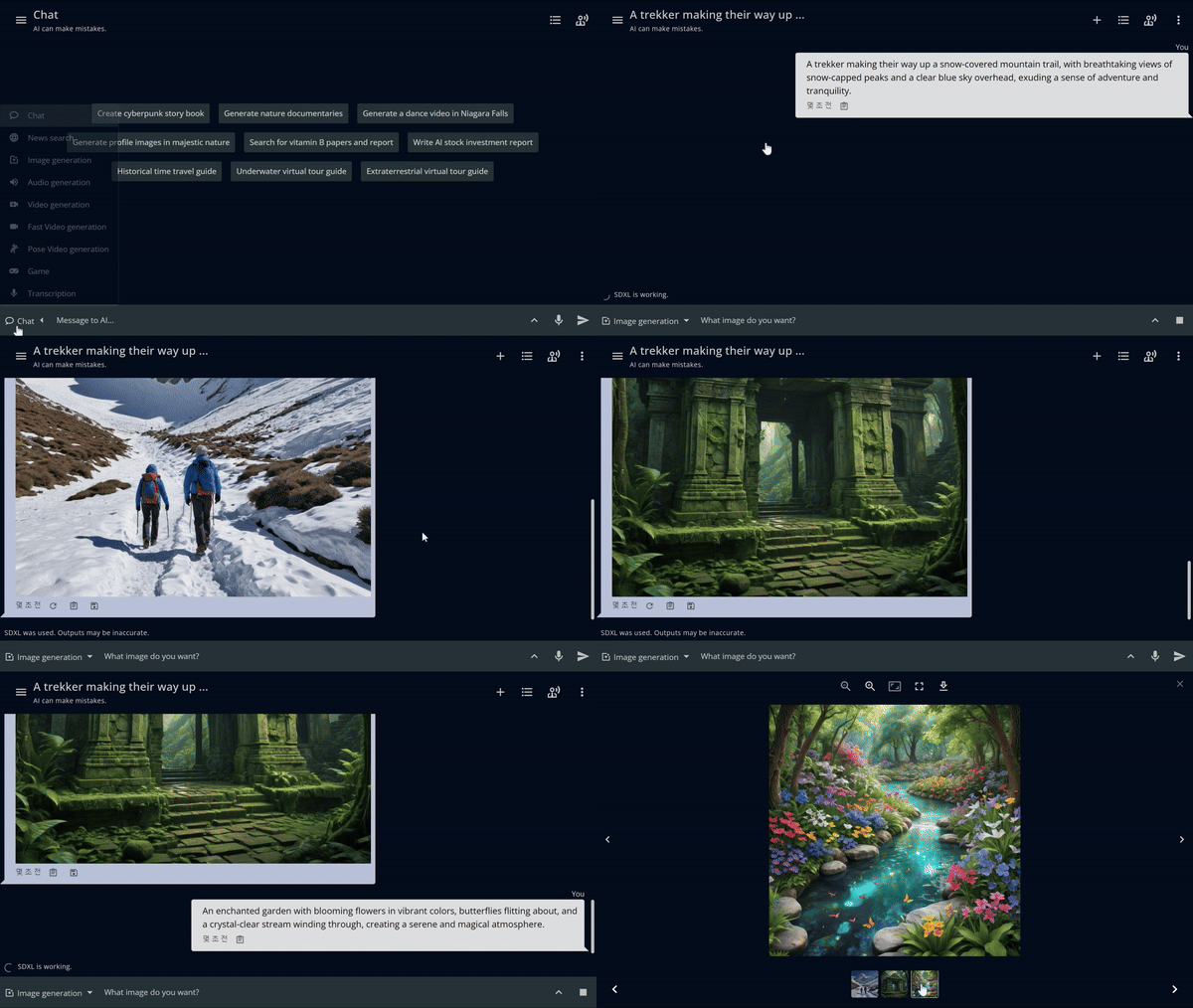
Create stunning images effortlessly with our AI Image Generator. Using models like Stable Diffusion XL, v1.5, v3 and DALL-E 3, you can generate new images from text prompts or modify existing ones. Customize styles, resolutions, and more. Enhance images with tools like in-painting, out-painting and ControlNet. Additional features include background removal, photo restoration, and logo creation, making image creation simple and versatile.

Key Features

Model Selection and Customization:

  • Multiple AI Models: Choose from leading image generation models including Stable Diffusion XL, v1.5, v3, and DALL-E 3.
  • Text-to-Image: Generate new images from text prompts, allowing for creative and diverse image creation.
  • Image Modification: Edit and enhance existing images using AI-powered tools.
  • Style and Resolution Control: Customize image styles and resolutions to suit specific needs.

Advanced Editing Tools:

  • In-painting and Out-painting: Selectively edit parts of an image or extend it beyond its original boundaries.
  • ControlNet Integration: Gain precise control over image generation and manipulation.
  • Background Removal: Easily isolate subjects from their backgrounds.
  • Photo Restoration: Enhance and restore old or damaged images.
  • Logo Creation: Design professional logos with AI assistance.

Conclusion

GizAI’s AI Image Generator provides a versatile and powerful suite of tools for image creation and manipulation. By integrating multiple state-of-the-art AI models and advanced editing features, it offers users unprecedented control and creativity in generating and modifying visual content. This comprehensive solution simplifies complex image tasks, making professional-grade image creation accessible to users of all skill levels.